/|
Agent Native OS
GitHub for Understand the platform. Follow the changes.
AI Build Lab | 90 minute primer 01 / 60 GitHub primer
Git helps software teams collaborate. One application. Several contributors. A shared result.
What changed? Who checked it? Which version should go live?
02 / 60 GitHub for agent-supported work
Git records history. GitHub connects the team. Git / on your computer Local Git history / invoicing-app
Check reminder timing Latest recorded version
Add reminder scheduling The feature takes shape
Accepted starting version Before the new feature
Selected file versions, recorded over time.
GitHub / online Shared repositories, review, and collaboration.
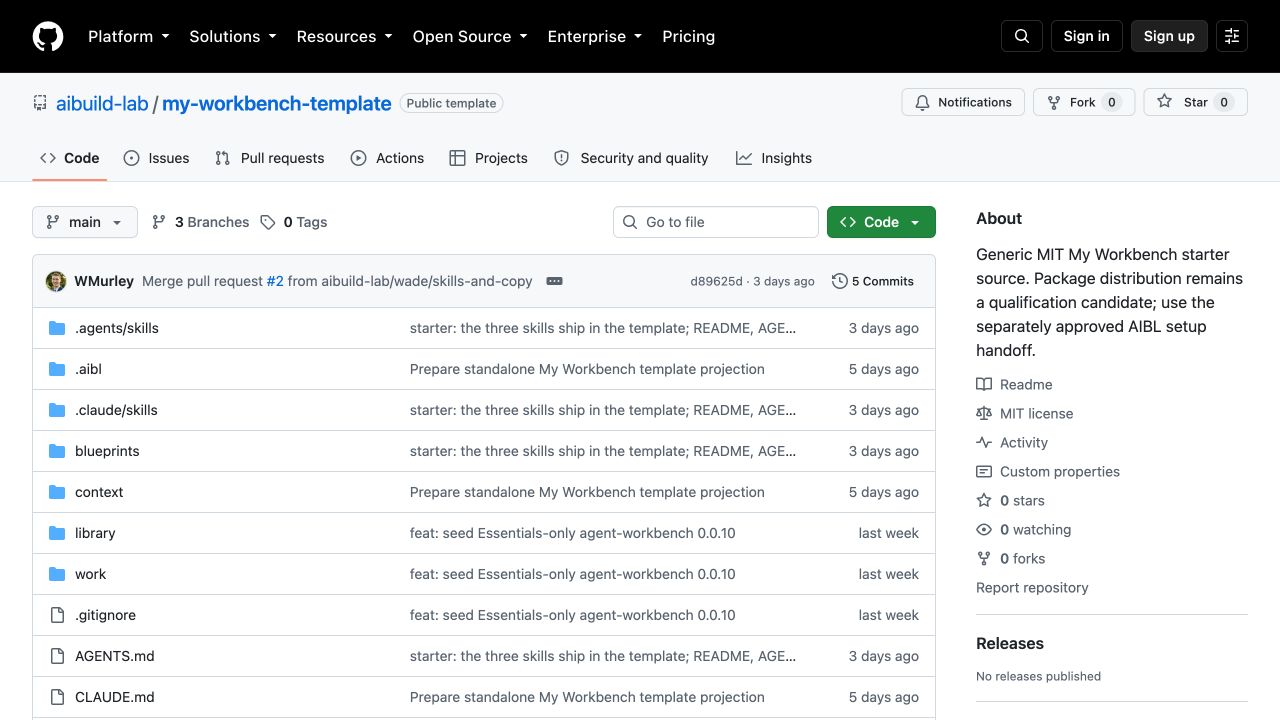
Left: illustrative local history. Right: actual AIBL template on GitHub.
03 / 60 Engineering example: a SaaS product
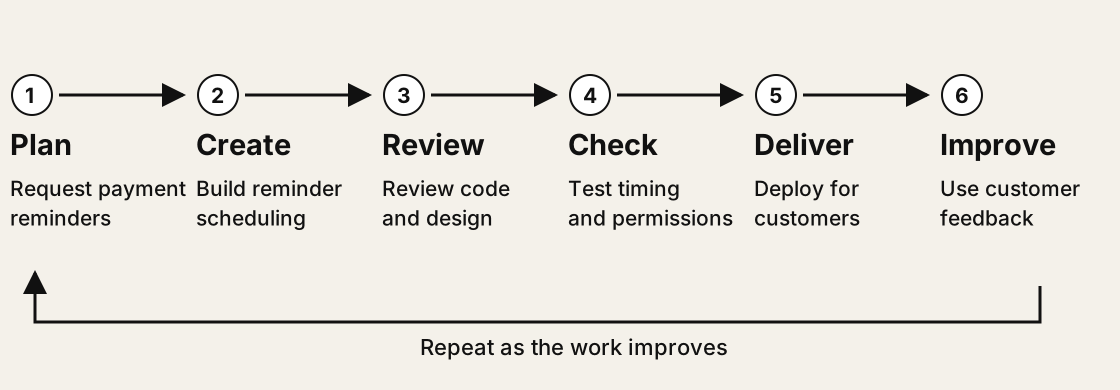
One software feature moves through a shared cycle. A subscription invoicing service adds automatic overdue-payment reminders.
04 / 60 The whole platform
The wider GitHub platform. Plan Requests, plans, conversations
Issues / Projects / Discussions Create Files and their history
Repositories / history Review Review packets and feedback
Pull requests / reviews Check Automated checks and tasks
Actions Deliver Package and publish work
Releases / Packages / Pages Improve Learn and plan the next change
Issues / Projects Protect and govern
Develop and connect
A map of capabilities, not a checklist to learn. Availability varies by plan and setup.
05 / 60 Where the app runs
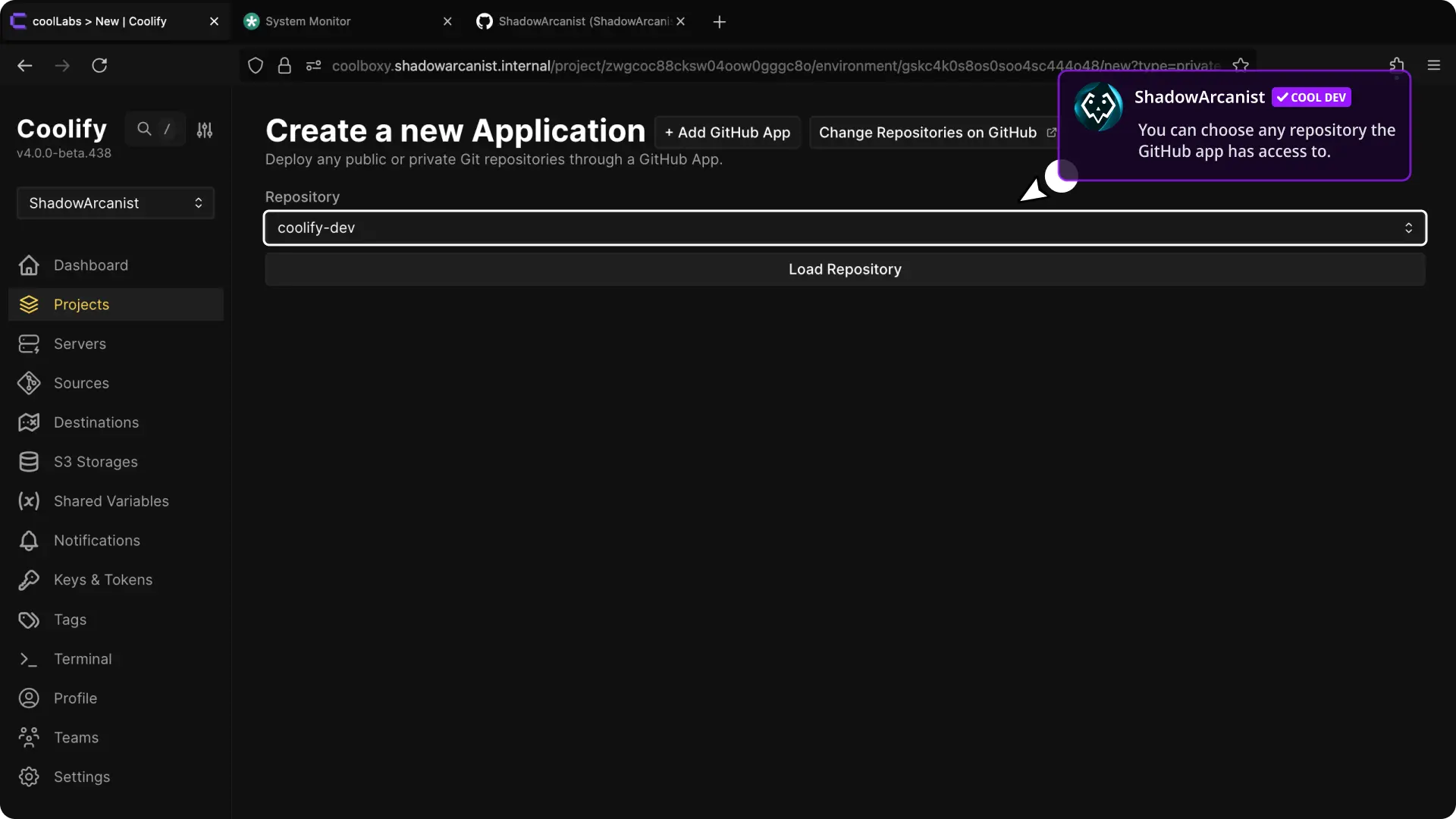
From repository to running application. A VPS is a rented computer. Coolify can manage app deployment onto it.
Coolify documentation example: GitHub connection and repository selector.
GitHub repository > retrieve and build > VPS runs app > customer
A configured connection enables deployment. A push alone does not run an app.
Connect GitHub, choose the repository, configure the app, then deploy.
06 / 60 GitHub for agent-supported work
Agent work follows the same cycle. Plan Create Review Check Deliver Improve
Same coordination needs Plan, create, inspect, accept, and improve changing files.
Different work products A research brief, a proposal, or a repeatable workflow.
A smaller toolset Files, history, review, and selected automation.
Next: watch one client brief move through the cycle.
07 / 60 GitHub for agent-supported work
Give the agent context. Agree on the plan. Plan Create Review Check Deliver Improve Highlighted = activity in view
Claude Chat Cowork Code Local / client-research
Project files context/brief.md research/source-notes.md instructions.md You Read the brief and supplied notes. Propose a one-page comparison of interview methods. Do not draft yet.
Claude I will compare three methods, cite the supplied notes, and flag evidence gaps. Does this scope fit?
Reply or give the next instruction...Plan / client-research
Proposed plan
Client research brief Read the permitted source notes. Compare three interview methods. Draft a recommendation with limits. Human decision: approve or revise the scope.
Claude-style interface illustration / fictional example / exact controls vary by app version
After agreement, ask the agent to save the plan in the project.
08 / 60 GitHub for agent-supported work
The agent creates the work in your project. Plan Create Review Check Deliver Improve Highlighted = activity in view
Claude Chat Cowork Code Local / client-research
Project files context/brief.md plan.md research/source-notes.md drafts/client-brief.md You Approved. Save the plan, then create the draft using only the supplied notes.
Claude Saved plan.md. Reading the notes and building a comparison table. I will mark unsupported claims.
Reply or give the next instruction...Working within the approved scope / client-research
drafts/client-brief.md
Interview methods Individual interviews
Small-group discussion
Written responses
Draft in progress / recommendation still to review
Claude-style interface illustration / fictional example / exact controls vary by app version
The conversation directs the work. The project holds the files.
09 / 60 GitHub for agent-supported work
One deliverable can produce many files Project explorer client-research/
context/brief.md
plan.md
research/source-notes.md
methods.json
scripts/render_brief.py
tests/test_render_brief.py
output/client-brief.html
Open file: scripts/render_brief.py Code excerpt / Python
def build(data, destination):
    destination.parent.mkdir(
        parents=True, exist_ok=True
    )
    destination.write_text(
        render_brief(data)
    )
Context, inputs, code, tests and output belong to one project.
Editor-style illustration / fictional project / code from the teaching example
10 / 60 GitHub for agent-supported work
Run checks on the code and its output Agent activity I will test the brief renderer, then inspect the output.
PASS All three methods appear
PASS Unknown source is rejected
PASS HTML input is escaped
PASS Output file is written
4 tests passed What still needs human review Not proved by these tests Are the source notes reliable?
Does the recommendation fit this client?
Is the brief clear and useful?
Passing tests supports a decision. It does not make the decision.
Check the reported result and what the tests actually cover.
Illustrative activity summary / four tests executed on the fictional teaching example
11 / 60 GitHub for agent-supported work
Review the result. Guide the next version. Plan Create Review Check Deliver Improve Highlighted = activity in view
Claude Chat Cowork Code Local / client-research
Claude The brief is ready for review. I recommend individual interviews, with the evidence limits listed.
You Add a short survey as a faster alternative. Keep the budget uncertainty visible. Show me the revised file before sending anything.
Reply or give the next instruction...Human review / feedback on the open file
output/client-brief.html / rendered file
Client research brief Recommendation
Why
Tradeoff
Evidence limit
Claude-style interface illustration / fictional example / exact controls vary by app version
Producing a draft, accepting it, and sending it externally are different decisions.
12 / 60 Workforce / your course home
GitHub through the Workforce experience Begin with your workbench. Add the course.
Do a real piece of work.
Choose where the next project belongs.
AIBL Workforce course artwork / Studio launch asset
13 / 60 Workforce / your course home
How Workforce reaches your workbench 1. Set up Installer starts your private repo frommy-workbench-template
>
2. Enroll From that workbench, selectAgent Workforce
>
3. Review and add Preview the supplied files.You approve the addition.
Source: AIBL Workforce course edition Supplies lessons and tools to your existing my-workbench
Setup creates the home. Enrollment brings course materials into it.
Conceptual flow. The course-provided route must match the installed setup.
14 / 60 Workforce / your course home
Find the course inside your local workbench o o o Home / GitHub / my-workbench List view
Favorites Home GitHub Downloads Name Kind
Folder
Folder
Folder
Folder
Folder
Folder
Folder
Markdown document
Markdown document
Finder-style illustration / example names and files / local folders
15 / 60 Workforce / your course home
Does this project need its own repository? Does the work need a different boundary? Different collaborators or access? Separate instructions, history or lifecycle?
NO / shared boundary
Stay in my-workbench Small task under the same rules.work/client-research/
YES / separate boundary
Start a project repo Independent client or continuing project.GitHub/client-research/
A folder organizes work. A repository gives the project its own history and access settings.
16 / 60 Workforce / your course home
Small task: a folder inside my-workbench o o o Home / GitHub / my-workbench List view
Favorites Home GitHub Downloads Name Kind
Folder
Folder
Folder
Folder
Folder
Markdown document
Markdown document
Markdown document
HTML document
Finder-style illustration / example names and files / local folders
One repo. Shared history. A clearly named folder for the task.
17 / 60 Workforce / your course home
Independent project: start from the template Start a new repo Use my-workbench-template client-research .
>
Bring it local Clone the new repository to~/GitHub/client-research
>
Open and personalize Open that folder in your app.
GitHub/ my-workbench/ + client-research/ = two sibling repos
Fresh project context and history. Future template changes do not sync automatically.
18 / 60 Workforce / shared tools and project tools
What follows you into a new project? User/app scope: available across your projects General reviewer agent | Writing skill | Configured secrets-check hook
applies here and here
my-workbench Shared capabilities+ this repo's course tools
client-research Shared capabilities+ this repo's research tools
Project tools stay with that project. Shared tools can follow you.
Scope is specific to the app, user and machine. Verify what the session actually loads.
19 / 60 Workforce / the arrangement on your computer
Your repositories on your computer Files / Home / Student / GitHub
GitHub/
  my-workbench/          [repo]
    context/
    course/workforce/
    work/
      quick-research/    [small task]
        brief.md
  client-research/       [separate repo]
    AGENTS.md
    research/
    drafts/
Two places for your work Small task inside my-workbench
Independent project alongside it
Example local home:
Open the repository you intend to work in. Confirm the folder with your agent.
Keep active repos outside Dropbox, OneDrive, Google Drive and iCloud Drive. Check whether Desktop or Documents is synced.
20 / 60 Scenario 2 / Agent Native Camp
GitHub through the Camp experience AGENT NATIVE CAMP
Start with your existing system. Your agent and memory.
Your OS repository.
Your separate project work.
Camp artwork from the AIBL Studio design system.
21 / 60 Camp / the system and its storage
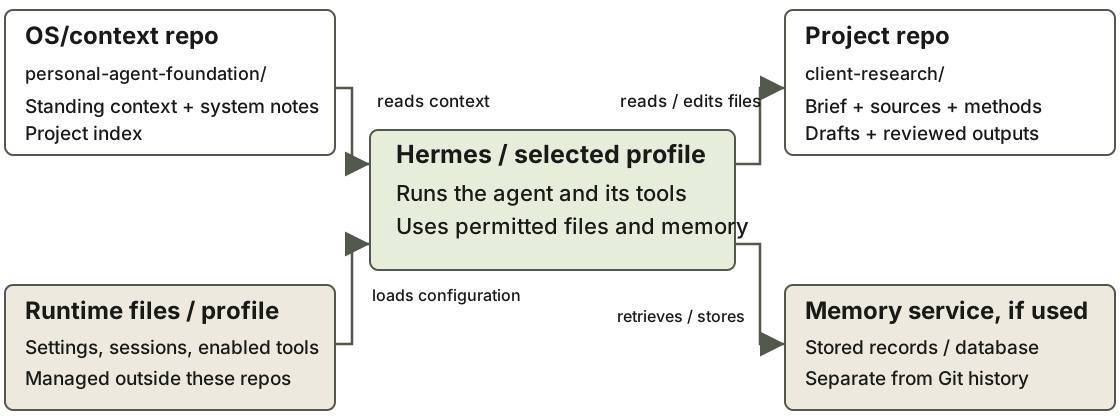
The agent runs. Your repositories hold the work. Git records selected repo files. It does not capture every running service or memory record.
Example topology. Names, hosts and storage paths depend on the student's existing system.
22 / 60 Camp / source to destination
Camp sources inform your own system and projects Read the source Camp course referenceKeep this copy unpersonalized.
>
Choose the destination System-wide change?Your OS/context repo Your project repo
>
Apply and verify Review the proposed change.
Hermes and memory services Run separately; reading or copying a file does not configure them.
The course is a reference. Your personalized work belongs in your own repos.
23 / 60 Camp / local folders
Camp: separate homes on your computer o o o Home / GitHub List view
Favorites Home GitHub Downloads Name Kind
Folder
Folder
Folder
Folder
Markdown document
Folder
Folder
Folder
Folder
Finder-style illustration / example names and files / local folders
24 / 60 Camp / choose the home
Camp: a system change or a separate project? Is this a distinct work product or client job? Its own brief, sources, collaborators, permissions or finish line?
NO / shared boundary
OS maintenance Update your standing context,
YES / separate boundary
Project work Use an existing project repo
Review runtime and memory changes in their own layer, whichever repo holds the notes.
25 / 60 Camp / existing OS repo
System work stays with the OS context o o o Home / GitHub / personal-agent-foundation List view
Favorites Home GitHub Downloads Name Kind
Markdown document
Folder
Markdown document
Markdown document
Markdown document
Finder-style illustration / example names and files / local folders
Example: revise a standing preference or add the location of a new project.
26 / 60 Camp / separate project repo
New project, alongside the existing system Choose a starter Use my-workbench-templateclient-research .
>
Create a sibling home Clone beside the OS repo.
>
Connect deliberately Index its location in the OS.
Project files context/project.md | library/ | work/
Carry a useful structure forward. Establish new facts, methods and permissions.
27 / 60 Both scenarios / capability scope
Shared capabilities and project-specific capabilities User or app scope Applies across selected projects
General writing preference
Reusable agent role
Shared skill
Configured guard hook
Project scope Applies to this project
Client-specific instructions
Project reviewer role
Research method + sources
Project build/check hook
A skill is a procedure. An agent is a role. A hook runs on an event.
28 / 60 Both scenarios / actual folder locations
Where shared and project capabilities live User/app scope /Users/Student/.claude/
agents/
  reviewer.md
skills/
  writing-review/SKILL.md
settings.json
hooks/
  check-command.sh
Available across this user's
Project scope ~/GitHub/client-research/.claude/
agents/
  client-reviewer.md
skills/
  client-brief/SKILL.md
settings.json
hooks/
  check-output.sh
Loaded with this project.
settings.json connects hooks to events. A hooks folder alone does not activate them.
Claude Code example / ~ means your home folder / dot-folders are often hidden / other apps use their own layouts
29 / 60 Both scenarios / continuing maintenance
Updates follow the destination and the layer Workforce Review course additions and updatesmy-workbench .
Camp Refresh the course reference.
Preview changes, resolve overlapping edits, then verify the result.
Ignored files, local learning state and memory databases need separate backup handling.
30 / 60 Transition / from workspaces to changes
Two starting points. The same ownership decisions. Workforce starts here my-workbench
Camp starts here Existing OS + course reference
Know the source, choose the destination, and review what changes.
31 / 60 Part 3 / working with Git
Understanding Git mechanics and jargon Next: understand what your agent is doing with the files.
32 / 60 GitHub for agent-supported work
How do we keep track of these revisions? The filename method Folder / client brief
brief-final.docx
brief-final-v2.docx
brief-revised.docx
brief-use-this-one.docx
Which is accepted? What changed?
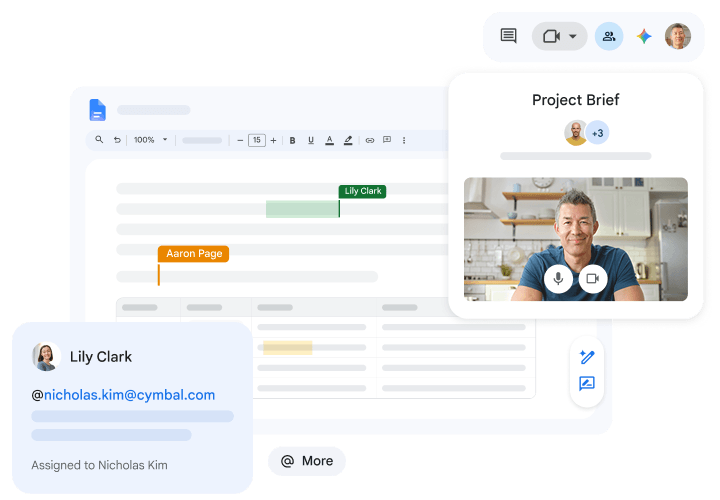
A shared Google Doc Google Workspace collaboration illustration.
A shared document brings edits and version history into one place.
33 / 60
The whole project / related files
What happens when the work spans many files?
client-research/ context/
research/
drafts/
assets/
AGENTS.md
.claude/skills/
.agents/skills/
hooks/ (if used)
.gitignore
.env (local only)
The files depend on each other.
People and agents may edit different parts.
We need collaboration and history across the whole project.
34 / 60 GitHub for agent-supported work
A recorded history for the whole project A recorded history client-brief.md / recorded versions
Revised the time tradeoff Accepted version / main
Added source references Checkpoint with supporting evidence
First research draft Earlier checkpoint
One project. Explainable changes. Recovery points.
Git: a project of changing files People and agents can work in parallel.
Changes are recorded as checkpoints.
Separate proposals are reviewed and combined.
Overlapping edits may need a decision.
Record related changes together, then review the proposed result.
35 / 60 Choose a working setup
One folder or parallel folders? Both use branches. A worktree adds a separate working folder.
One task at a time Local folder: ~/GitHub/
client-research/ Open branch: main
Switch the branch in this same folder
client-research/ Open branch: revise-brief
Same folder. A different line of work.
Tasks running in parallel Local folder: ~/GitHub/
client-research/ Open branch: main
Add a linked folder: a worktree
client-research-revision/ Open branch: revise-brief
Two folders open. Shared Git history.
Illustrative folder view. Branch names are annotations, not extra folders.
36 / 60
Create / start from accepted work
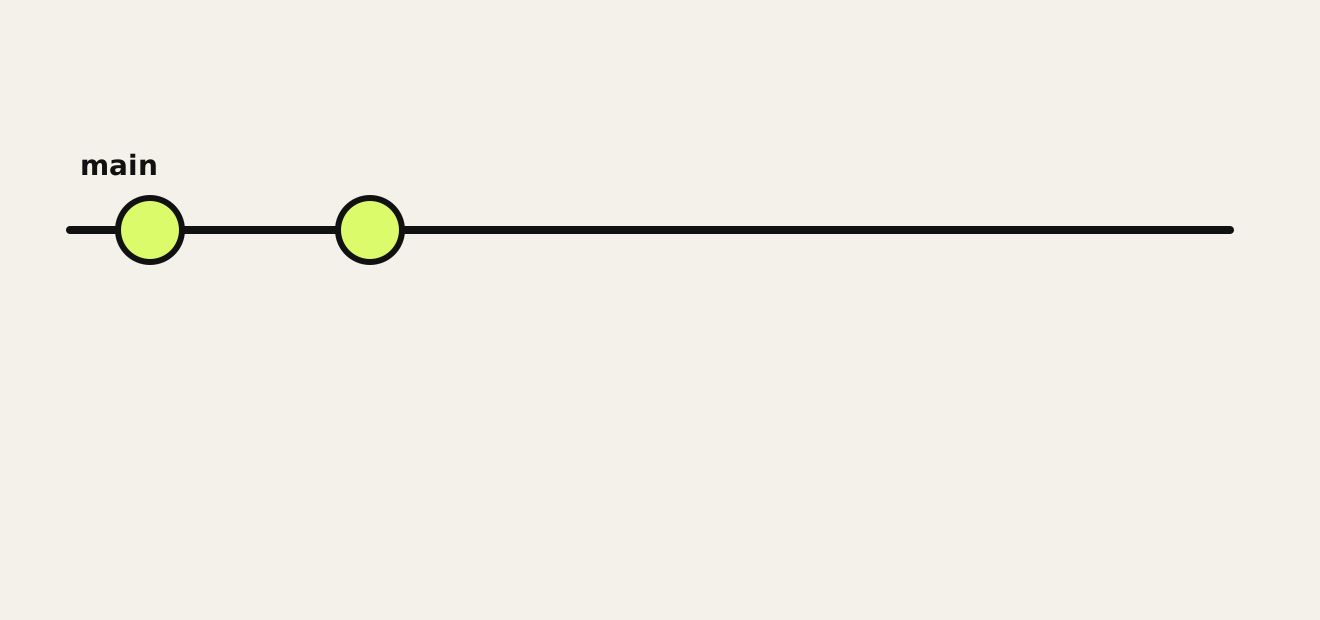
Start from the trusted line. Jargon: main.
The accepted working line. It can still contain mistakes.
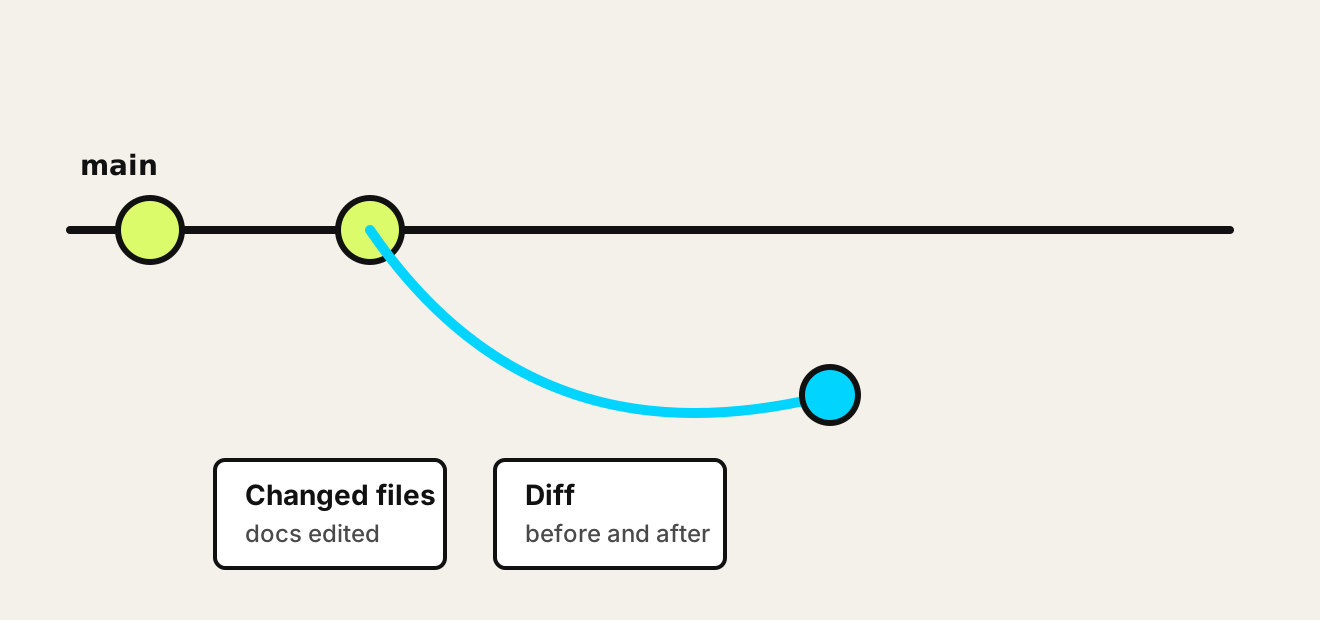
Same project: client-research / drafts/client-brief.md
37 / 60
Create / propose a change
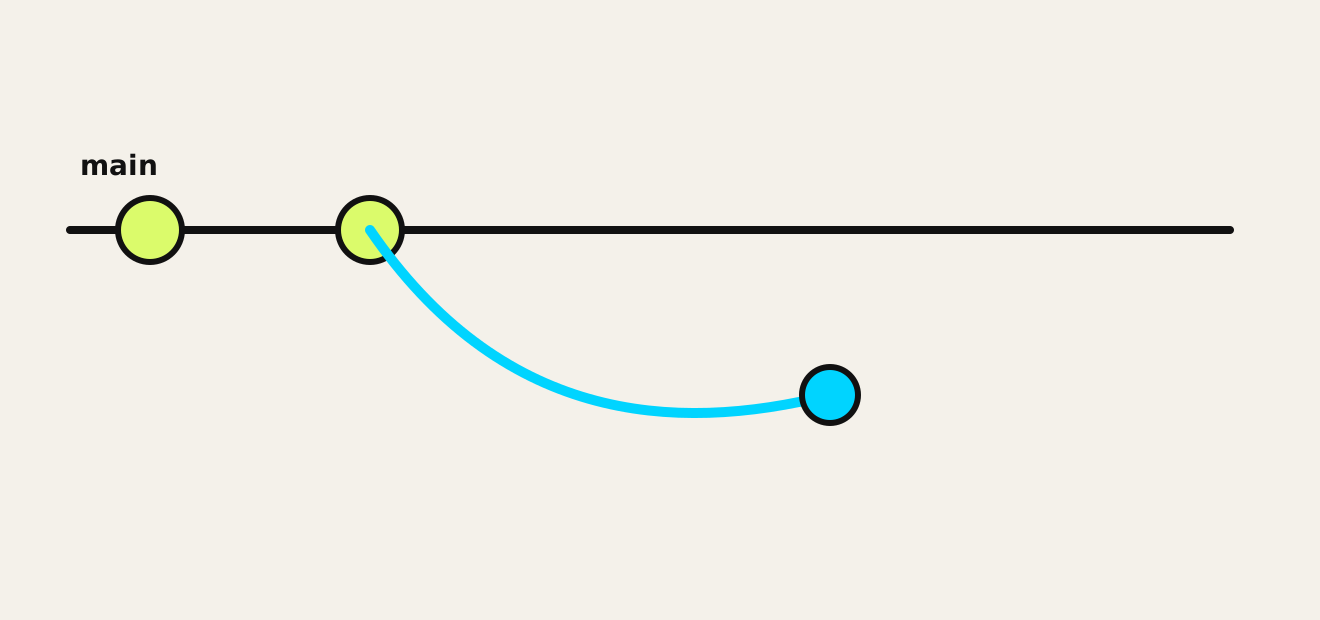
Make a separate line of work. Jargon: branch.
A branch tracks a separate line of work. It does not create another physical folder.
Same project: client-research / drafts/client-brief.md
38 / 60
Review and Check / inspect the changes
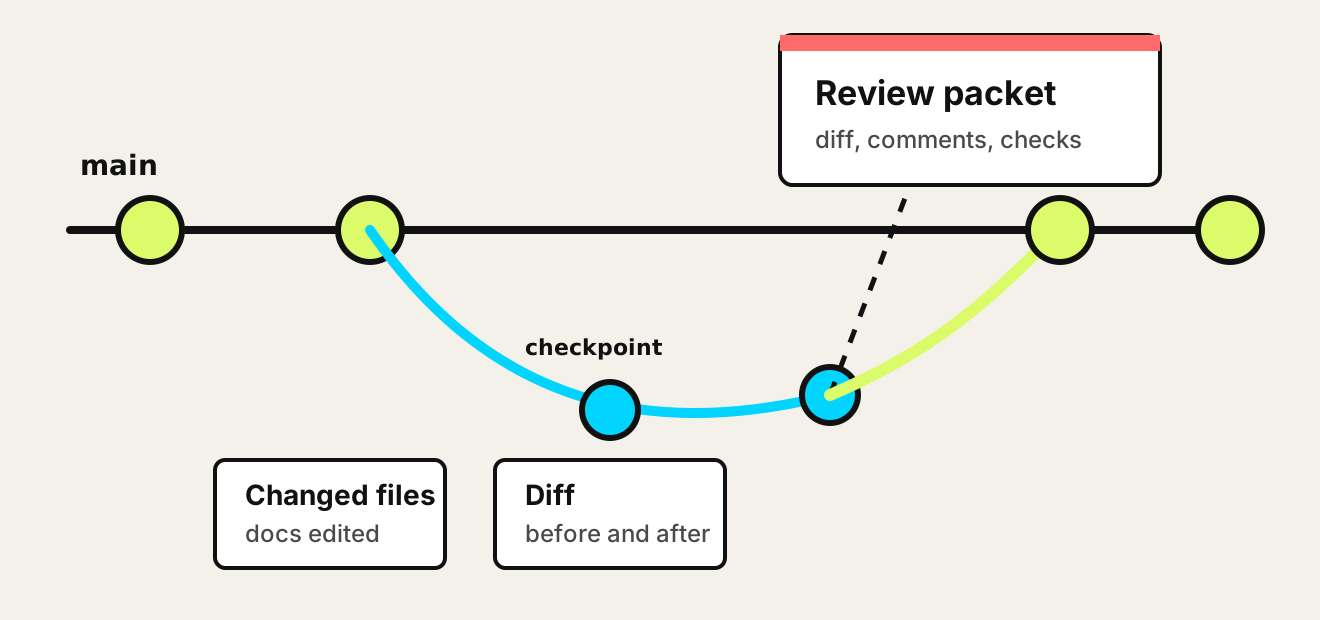
Examine the changes. Jargon: diff.
See which files changed and the before-and-after view inside them.
Same project: client-research / drafts/client-brief.md
39 / 60
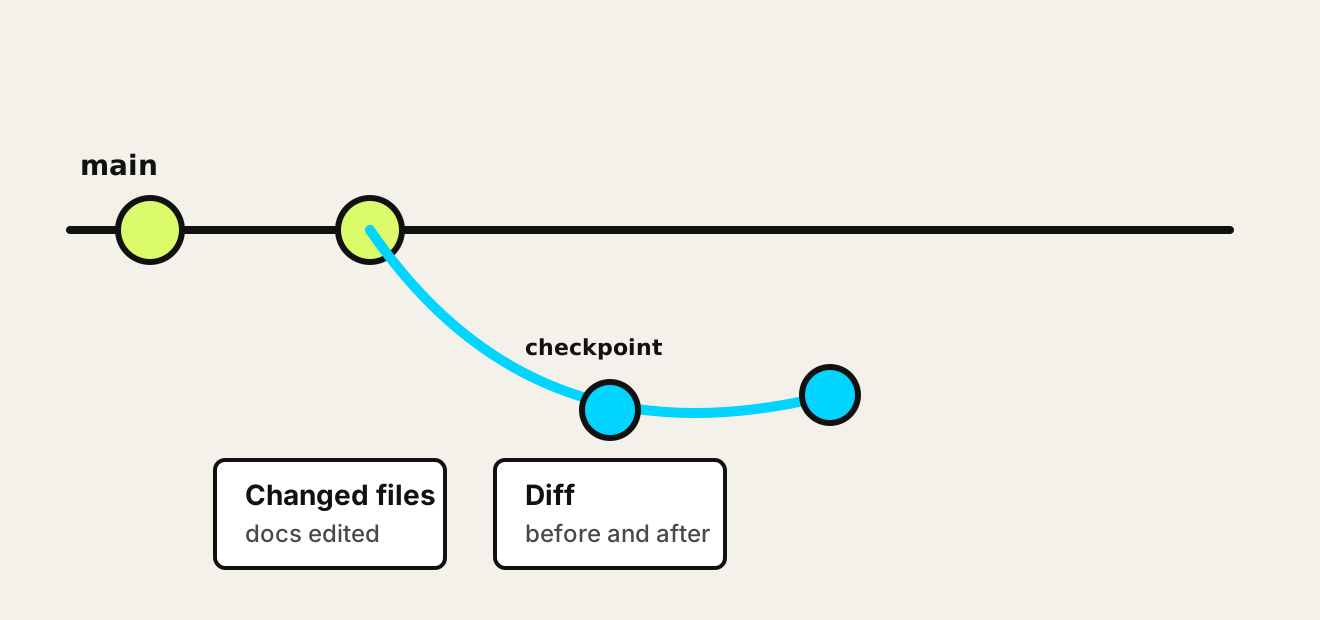
Across the cycle / record a checkpoint
Create a checkpoint. Jargon: commit.
Record selected changes as a snapshot, with a message explaining the work.
Same project: client-research / drafts/client-brief.md
40 / 60 Review / make the proposal available
Send checkpoints online. Jargon: push. Saved The current file is on disk.
Committed Selected changes are in local history.
Pushed Recorded checkpoints are sent to the online repository.
Loose edits are not sent just because a push succeeds.
41 / 60 Shared rules / private local files
Choose what stays out of shared history. client-research / .gitignore
# Local settings and secrets
.env
.env.*
!.env.example

# Project-specific local material
/private-source/
/scratch/
.DS_Store
client-research / .env / FICTIONAL EXAMPLE
# Fictional values - no real access
RESEARCH_API_KEY=sk_demo_7f92a4c8b6e1
RESEARCH_API_URL=https://api.example.invalid
CLIENT_LABEL=Northstar_Research
PROJECT_ID=proj_demo_4821
OUTPUT_DIR=./output
NAME=value. Plain text, not encrypted.
Keep .env local and ignored. Share .env.example with empty or placeholder values.
Before recording: Set .gitignore before committing. It excludes matching untracked files; tracked files and earlier history remain. ! allows an exception, such as .env.example.
What to share: Keep permitted instructions, research, decisions, and outputs. Exclude private sources and disposable scratch work. Back up ignored material separately.
Secrets and access: Ignore rules are not encryption or an agent access boundary. Load .env only through configured tools. Enter real keys privately; revoke or rotate exposed credentials.
42 / 60
Review and Check / human decision
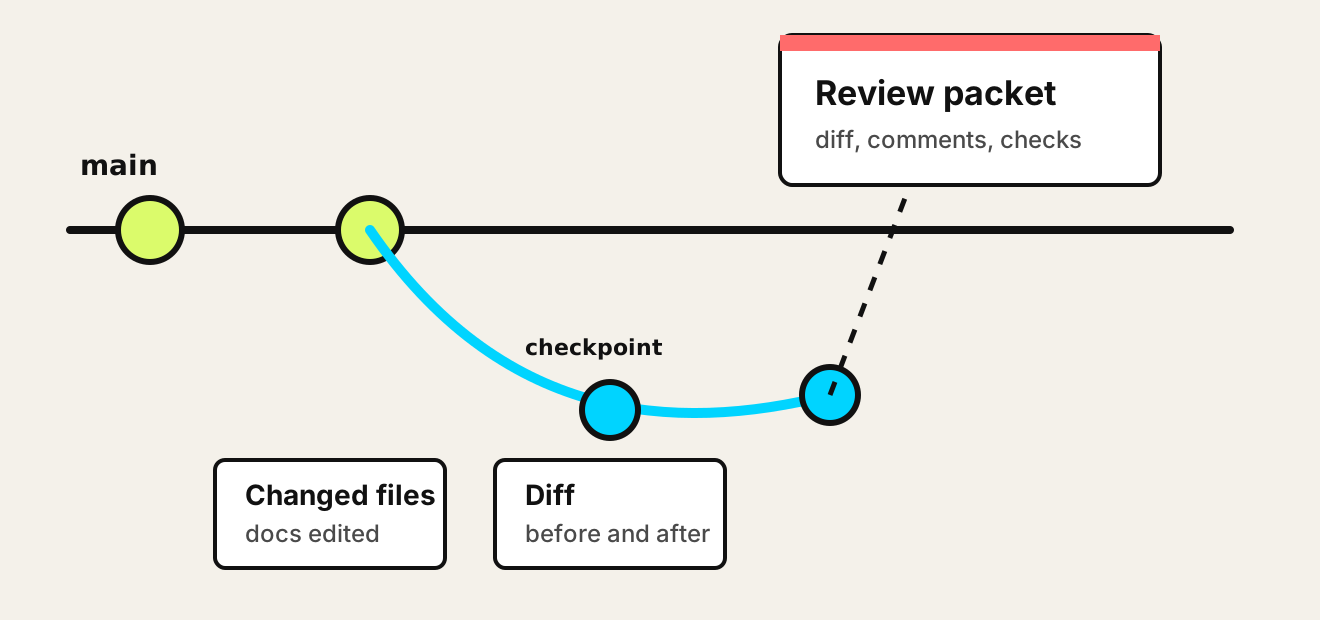
Create a review packet. Jargon: pull request.
The recorded changes are online. Now someone can inspect and discuss the proposal.
Same project: client-research / drafts/client-brief.md
43 / 60
Review and Check / examine the proposal
Read the review screen.
base branch
compare branch
able to return
title and description
create pull request
44 / 60
Review / inspect additions and removals
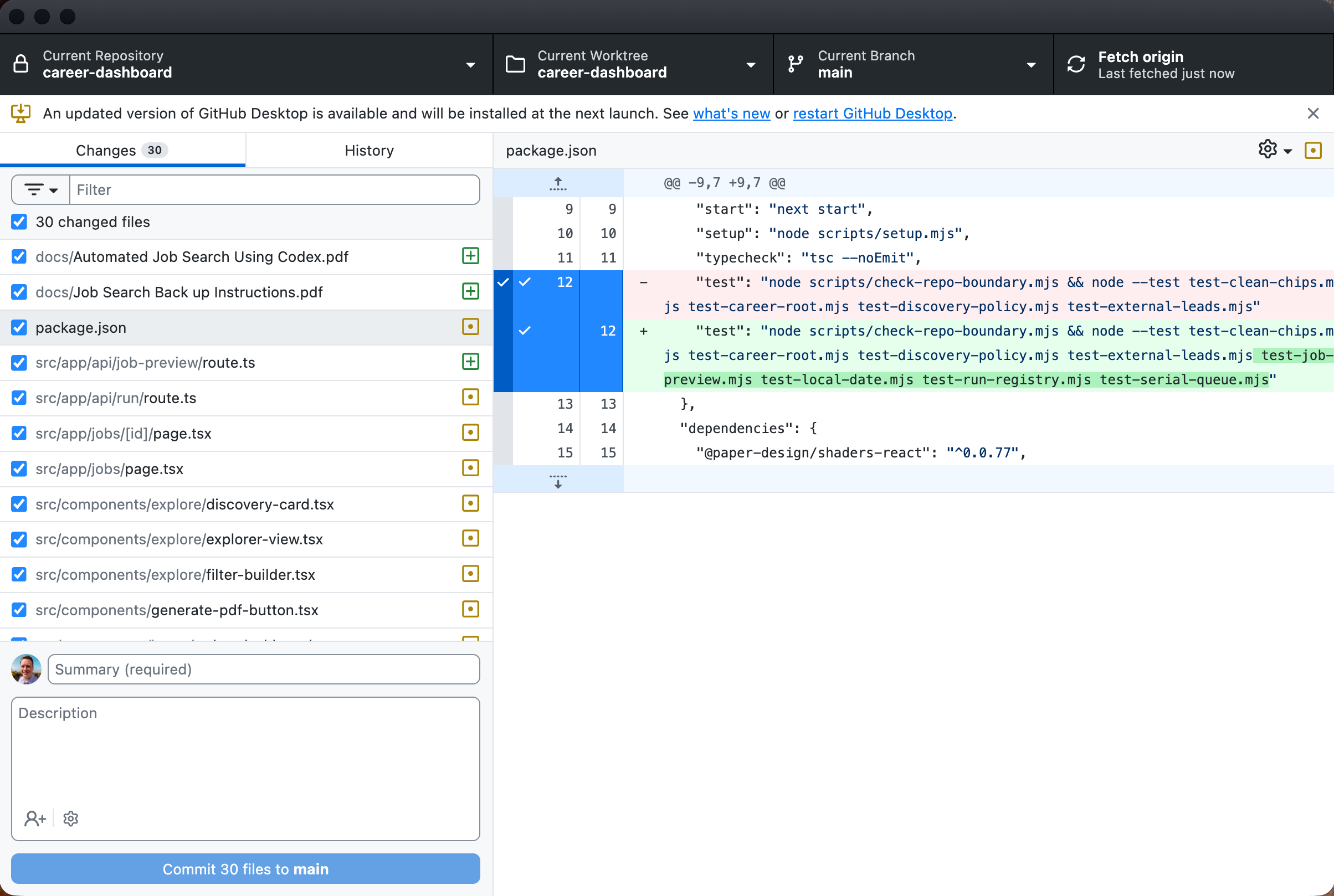
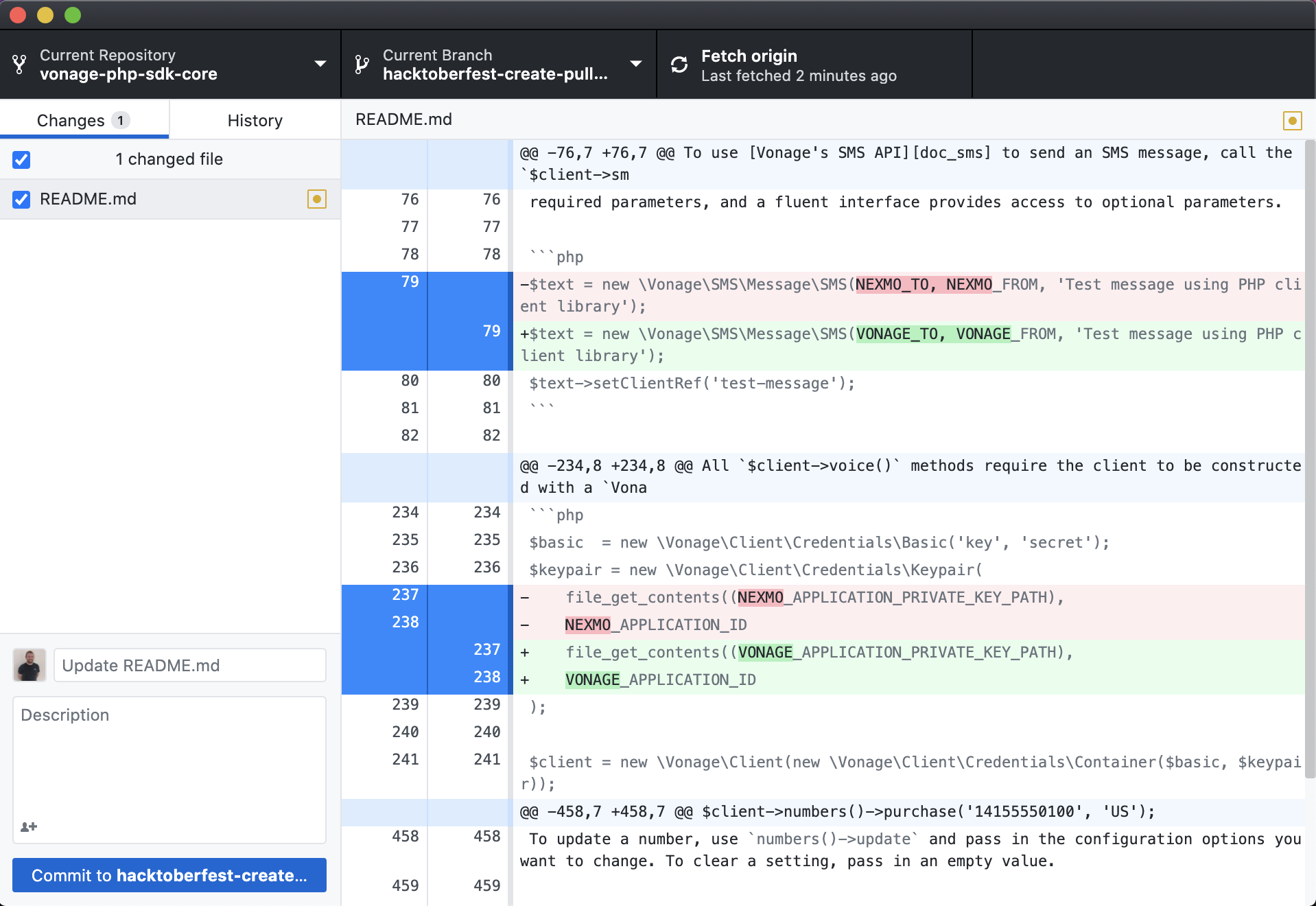
GitHub Desktop shows the change record.
Red / minus: removed Green / plus: added Read the surrounding lines before accepting.
45 / 60
Deliver / accept the work
Accept the work. Jargon: merge.
Accepted work joins the main line. Deployment is a separate configured step.
Same project: client-research / drafts/client-brief.md
46 / 60
Improve / use recorded history
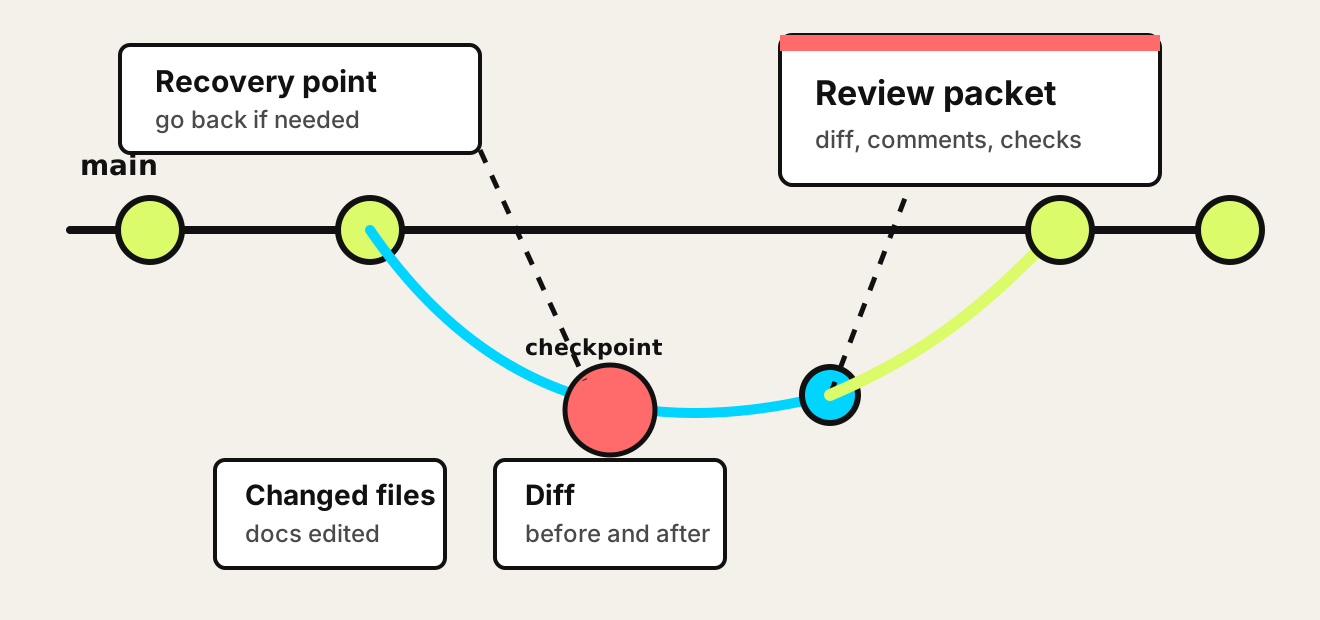
Recover earlier recorded work.
History can recover recorded work. Ignored files need separate backups.
Same project: client-research / drafts/client-brief.md
47 / 60 GitHub for agent-supported work
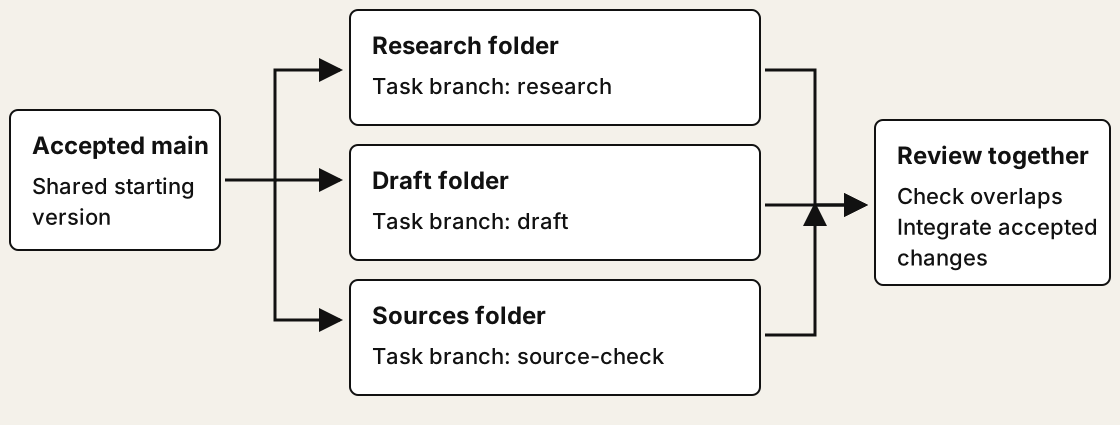
Three tasks. Three working folders. A branch separates a line of changes. A worktree gives it a separate folder.
48 / 60 GitHub for agent-supported work
Three worktrees, three sets of working files client-research/ branch: research
CLAUDE.md
context/
research/
scripts/
tests/
output/
client-draft/ branch: draft
CLAUDE.md
context/
research/
scripts/
tests/
output/
client-check/ branch: source-check
CLAUDE.md
context/
research/
scripts/
tests/
output/
Each folder has the tracked project files. All three share repository history.
Ordinary full checkouts shown. Ignored files and local settings are not automatically copied.
49 / 60
Messages and habits
Understand unfinished work before acting.
dirty changesChanged but not checkpointed.
untracked filesNew files not yet tracked.
ahead of originLocal commits ahead of the last-known online copy.
pull request openReview packet exists.
merge conflictTwo edits need a decision before work can return.
Ask for repo state. Ask for the before-and-after view. Checkpoint or park work before starting another task.
Unmerged: recorded task work has not joined the accepted line. Committed does not mean accepted.
50 / 60 Your judgment
When to pause. Two edits disagree Preserve both versions and ask what should be kept. The destination is unclear Confirm the repository and who can access it. An import replaces your instructions Inspect ownership and reconcile before accepting. Permissions are uncertain Ask for the decision the agent cannot infer. 51 / 60 GitHub for agent-supported work
Two valid edits can disagree Shared starting sentence: "Use interviews to learn about customer needs."
Research branch Use eight interviews to explore needs in depth.
Optimizes for detailed answers.
Delivery branch Use a short survey to meet Friday's deadline.
Optimizes for speed.
Both changed the same sentence. Git cannot choose the business priority.
52 / 60 GitHub for agent-supported work
Give the agent a decision, not just "fix it" Ask the agent Show the original and both proposed versions.
Explain what each preserves or loses.
Identify the human decision required.
Your instruction Meet Friday's deadline with a survey. Keep interviews as a follow-up option. Preserve the evidence limits.
Keep one version, combine intent, or pause for the owner.
Choose the intended outcome. Claude or Codex can make the file changes.
53 / 60 GitHub for agent-supported work
Review the resolution and finish the integration Proposed resolved wording Use a short survey for Friday's decision. Follow up with interviews to explore the needs the survey cannot explain.
1. Inspect Read the final wording and before-and-after view.
2. Check Rerun affected tests and check for lost intent.
3. Verify Confirm the resolution is recorded and the intended merge is complete.
A resolved file is not the same as an accepted, merged or published result.
54 / 60 GitHub for agent-supported work
The agent says "done". Is your intended result done? Agent reports What you wanted What to verify
Committed, pushed, PR open The accepted version updated Is the PR merged into the right branch?
Tests passed The result works for users Was the output or running app checked?
Files installed A usable capability Did the right agent actually invoke it?
Push succeeded Your work is recoverable What remained local or ignored?
Ask: what is complete, what remains, and what evidence shows it?
55 / 60 Looking ahead
Tools for human-agent collaboration are evolving. GitHub supports coding agents. Knowledge work also needs shared context, reusable methods, and clear human decisions.
One emerging example Buzz by Block brings people and agents into a shared collaboration space.
The lasting investment Clear context, deliberate changes, review, and recoverable history.
Example, not a prediction of the winner. Source: github.com/block/buzz
56 / 60 Your working model
The habits that carry forward. Know where the work lives.
Plan / Create / Review / Check / Deliver / Improve
Your Agent OS / Project templates / Reusable sources
57 / 60
Reference / task separation
Task lines and separate folders.
Plain idea Task copy: branch Separate local folder: worktree
What it gives you One line of history A task line with its own working folder Where it happens A selected working folder Separate folder Use when One active task is enough Parallel agents, teammates, or parked work
58 / 60 Reference / repository models
Course sources and your repositories Camp / course reference Separate purposes
Course clone: read-only reference
OS/context repo: your system
Project repos: your own work
Workforce / course home Current student-branch route
Template starts my-workbench
Program student branch adds course
Reviewed merges bring updates
Keep course sources, student ownership and runtime state distinct.
September 21 source snapshot. Earlier package and course-derived routes remain separate.
59 / 60 Reference / earlier course route
Earlier course commands. /update-course Receive and reconcile updates in the earlier Agent Native OS course setup.
/migrate-course-repo Migrate that course setup and create or verify its private origin.
These are course-supplied agent commands, not universal Git commands.
Confirm the course route. These are not program enrollment or runtime upgrade commands.
60 / 60 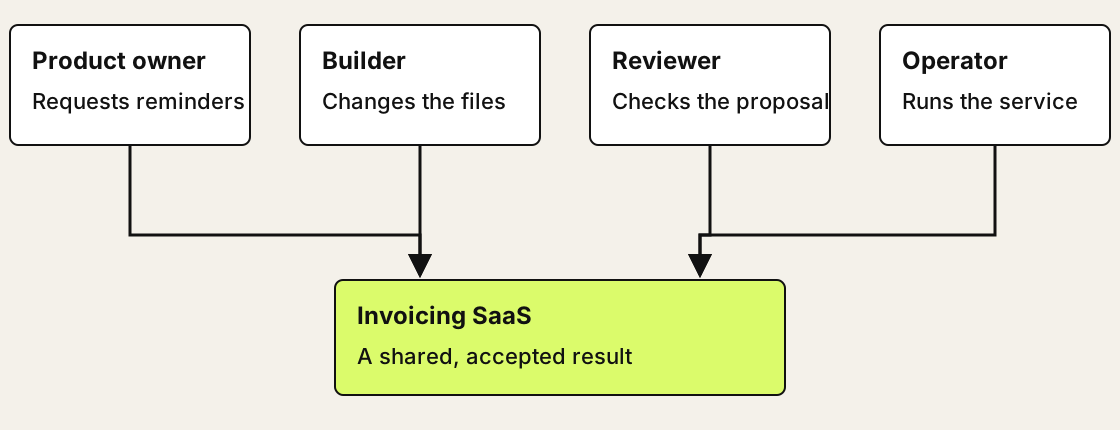
 37 / 60
 38 / 60
 39 / 60
 40 / 60
 43 / 60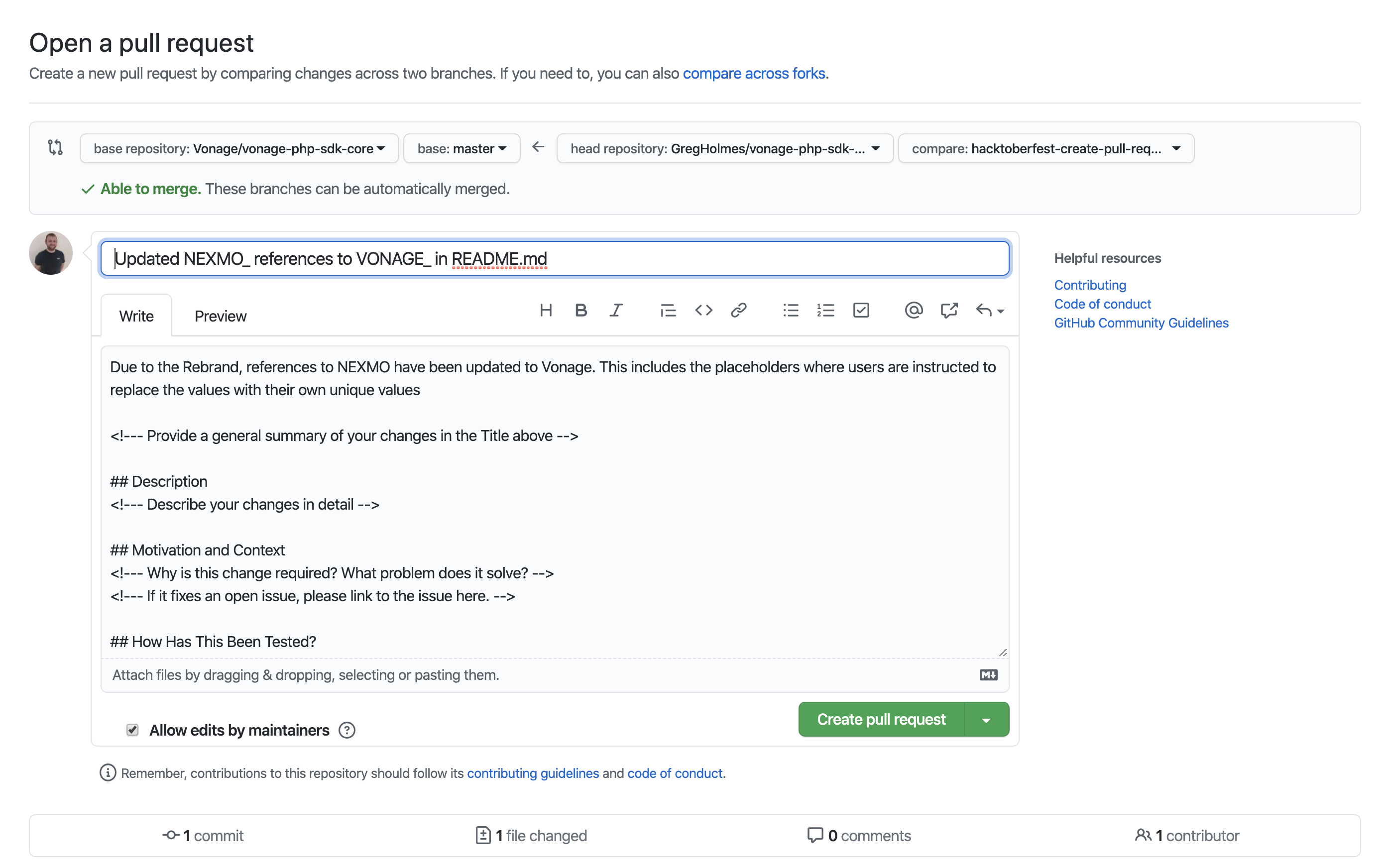
 46 / 60
 47 / 60